This command should have already been written by someone. Unfortunately all the versions I’ve seen till now either don’t work or are not compatible with Ubiquity 0.5 . So I wrote one on my own. I had to modify the awesomebar noun type for this so that you could see the title of the page as well as the URL link that is going to be inserted. If you’re using Ubiquity with Firefox, the command should have popped up by now for you to subscribe to it.
Here’s a screenshot (click to enlarge):
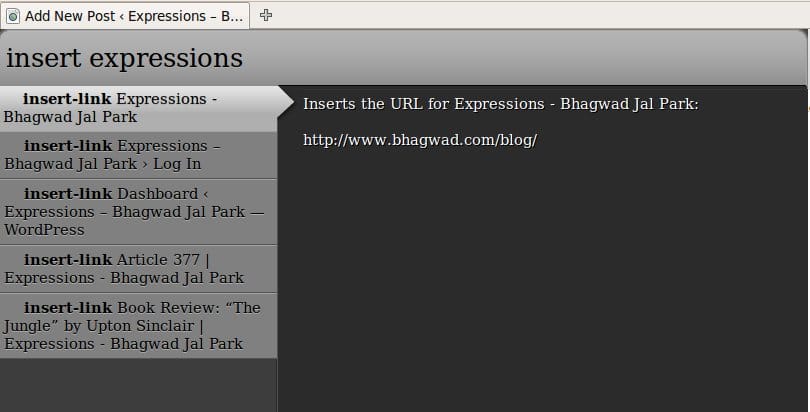
When you call the command, simply type in part of the Title or the URL of the page, select your choice from the list and hit Enter. The command will insert the URL at the cursor point. I’ve also noticed some odd behavior in some cases where the suggestion list changes without warning displaying a completely different command after you type in a few characters. This must be due to some optimization problems with Ubiquity’s Parser 2. I’m not sure why it happens.
Other than that, this command should work just fine. Hope you enjoy it!
Hi,
I've installed the command but it does not show up in my command list.
W.
@William
Hi, does it not show up even if you just type in something like “insert?”
@William
Another thing you can do is to check if you've installed the latest version of Ubiquity. Let me know how it goes…